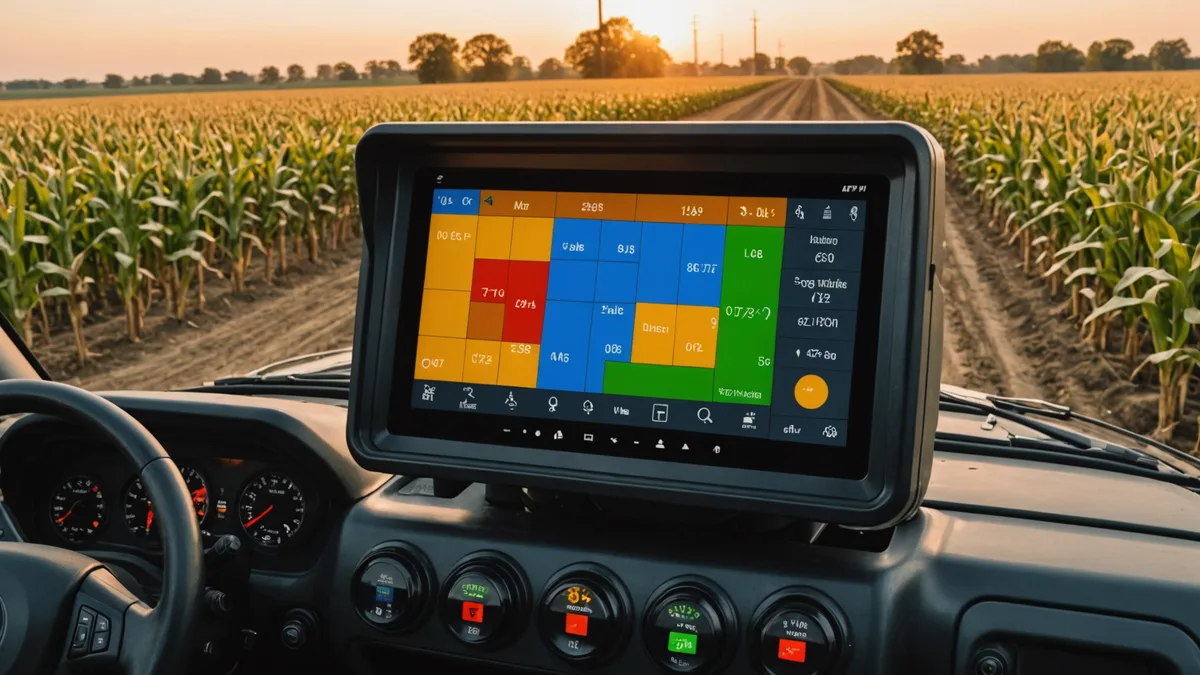
Prescription file format errors are one of the most common failure modes in variable-rate application. Cole has spent more time than he'd like troubleshooting why a file that came out of a precision ag platform won't load on a specific display or controller. The root cause is almost always a mismatch between the format the software generated and what the receiving hardware actually accepts.
This guide covers the three prescription file formats you'll encounter in most Iowa row crop operations: ISOXML (the ISO 11783 standard), John Deere's Operations Center shape-file based system, and Trimble Precision IQ. Each has distinct structural requirements, and the failure modes between them are completely different. The goal here is to give enough technical detail that you understand why these mismatches happen, not just how to work around them.
ISOXML: The ISO 11783-10 Standard
ISOXML is the open international standard for agricultural data exchange defined in ISO 11783-10. When someone says their software "exports ISOXML," they mean the output follows this specification — in theory. In practice, ISOXML compliance has a wide range of interpretations.
A valid ISOXML prescription package is a ZIP archive (typically named with a .zip extension) containing a TASKDATA.XML root file and associated spatial data files. The TASKDATA.XML file contains the task definition, field identifiers, and references to treatment zone geometries. The spatial component is encoded as polygon geometries with associated rate attributes inside the XML.
The treatment zone approach in ISOXML prescriptions stores each management zone as a polygon with an attribute value — for example, a nitrogen rate in pounds per acre. The display terminal reads the zone boundaries, determines which zone the applicator is currently operating in based on GPS position, and commands the controller to the appropriate rate.
Where ISOXML compliance breaks down in practice: the standard allows multiple approaches to encoding rate values. A prescription might encode rates as absolute values (lbs/acre) or as relative percentages of a base rate. It might reference rates via lookup tables or embed them directly. Different display manufacturers implement the reading side differently, and a file valid under one interpretation may not load under another. The most common failure point is rate unit encoding — particularly when the file uses metric units internally (kg/ha) and the display expects US customary units, or when the rate element is nested in an unexpected XML hierarchy depth.
John Deere Operations Center: The Shape File Workflow
The John Deere Operations Center (formerly MyJohnDeere) uses a different approach: prescriptions are uploaded as shapefile packages (.zip containing .shp, .shx, .dbf, and .prj files) through the browser-based Operations Center interface, where they're assigned to a machine and pushed to the GreenStar display or Generation 4 CommandCenter via the John Deere API.
For this workflow to succeed, the shapefile's coordinate reference system must be correctly declared in the .prj file. The vast majority of prescription maps are generated in WGS84 (EPSG:4326), and the John Deere system expects this. If a shapefile is generated from a GIS environment where the project CRS is NAD83 State Plane Iowa North or another local projection, and the .prj file is omitted or declares the wrong CRS, the prescription polygons will be spatially offset from the field boundary — sometimes by hundreds of feet. The display will appear to load the file but the rate zones won't align with the field.
The second common failure is the attribute field name in the .dbf file. The Operations Center expects the prescription rate column to have a specific attribute name to recognize it as the target application variable. If the column is named "N_RATE" instead of the expected "ARATE" or if the data type is string instead of numeric, the file uploads but the rate values are ignored and the display defaults to base rate. Cole has seen this exact issue on multiple occasions where a prescription was output from a platform that used non-standard column naming.
A working John Deere shapefile prescription requires: WGS84 CRS declared correctly in .prj, rate values in a numeric field with the correct attribute name, polygon geometries that close properly (no self-intersecting rings), and a projection definition compatible with the Operations Center validator. The Soilynx export for John Deere targets all four of these requirements explicitly.
Trimble Precision IQ: The RX File Format
Trimble's Precision IQ system — used with the TMX-2050 and GFX-750 displays — uses a proprietary prescription format (.rx) that is generated and managed through the Trimble Agriculture Software (TAS) desktop application or the Trimble Ag Software cloud platform, or imported via compatible third-party formats.
The Trimble prescription format encodes the field boundary, zone polygons, and rate table in a binary file structure that is not human-readable. Because of this, you cannot manually inspect or edit a .rx file the way you can inspect a shapefile's .dbf table or open a TASKDATA.XML. Debugging format problems requires either the TAS software or a third-party tool that reads the Trimble format.
Trimble Precision IQ does support importing ISOXML prescriptions directly, which is the recommended interoperability path when working with prescription data generated outside the Trimble ecosystem. However, the ISOXML import on Trimble displays has specific version requirements — the display firmware version must be current enough to support the ISOXML version the file was generated in, and some older firmware versions have known parsing issues with certain rate encoding approaches in ISOXML.
One complication specific to the Trimble workflow: the TMX-2050 and GFX-750 read prescription files from a USB drive inserted into the display, rather than via cloud push like the John Deere GreenStar 3 or Gen 4 CommandCenter approach. This means the field-to-office workflow for prescription delivery is physically different — the prescription needs to be exported to USB, not uploaded to a cloud account. It's a small operational difference that causes confusion when an operation switches equipment brands mid-season.
The Format Decision for Your Operation
The format question comes down entirely to what display hardware is in the cab. If you're on John Deere equipment with a GS3 or Gen 4 CommandCenter and have an Operations Center account, the shapefile-to-Operations Center workflow is the most reliable path. If you're on Trimble hardware, either the native Trimble format via TAS or ISOXML import are both viable — with the caveat that you verify display firmware version before the first prescription pass of the season.
For mixed-equipment operations — which is common on farms where the planter is John Deere but the applicator is a Trimble-equipped sprayer from a custom applicator — the practical answer is to generate the prescription in ISOXML, because it has the broadest display compatibility when implemented correctly. The key is ensuring the generating software's ISOXML output has been validated on the receiving hardware at least once before you rely on it in the field.
We're not saying any one of these formats is superior in agronomic terms — the prescription accuracy is identical; it's the delivery mechanism that differs. The format decision is a logistics decision, not an agronomic one. Where operations run into trouble is when they treat it as a trivial detail to handle on the morning of application. Format validation should happen at least two days before the prescription pass, with a test file on the actual hardware that will run the job.
What Soilynx Exports and Why
Soilynx generates all three formats natively: ISOXML for FMIS-agnostic workflows, a John Deere Operations Center-ready shapefile package with correctly named attribute fields and WGS84 CRS, and an ISOXML variant tested for Trimble Precision IQ import. The format selection happens at export time, not at prescription generation time — the underlying zone data is the same; only the output structure differs.
The technical detail that matters most for reliability: we validate the generated files against the target hardware's documented format requirements before serving them for download. For John Deere, that means checking attribute naming, CRS declaration, and polygon validity. For ISOXML, it means verifying the XML schema against the ISO 11783-10 Part 7 treatment zone encoding specification and ensuring rate units are consistently declared. That validation step is what prevents the format errors that cost operators time on application day.
When a format error does occur — and they still do occasionally, particularly when a customer is on unusual equipment configurations or older display firmware — the debug process is faster because the file structure is documented and verifiable rather than opaque. That's a significant advantage over binary format workflows when something breaks in the field at 6:00 a.m. before a spray pass.